Cursive Name Generator
The ArtFont Cursive Name Generator is an AI tool that writes your name in cursive — copperplate, modern calligraphy, everyday handwriting or signature style — and gives it back as a transparent PNG and a cut-ready SVG.
- Transparent PNG
- Real SVG vector
- Print & cut ready
- Commercial use
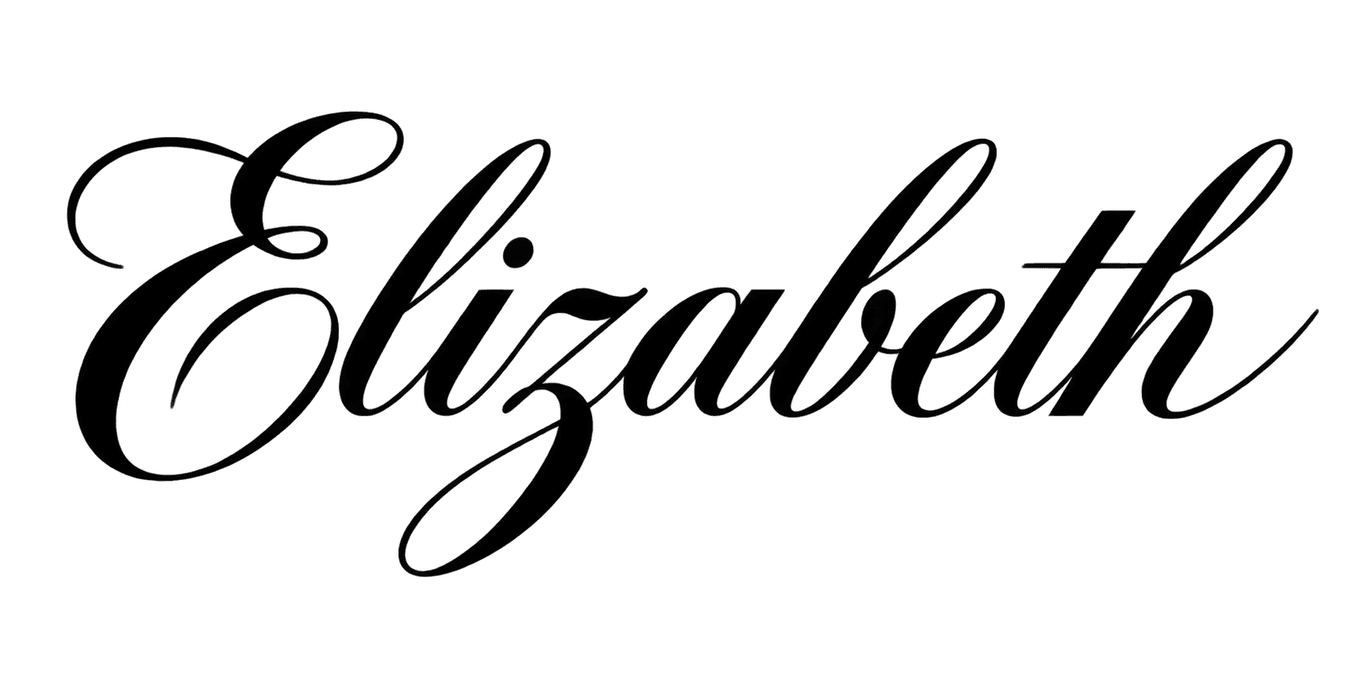 Example · Copperplate Transparent PNG
Checkerboard = transparent. Commercial use included · no watermark
Examples made with the Cursive Name Generator
Real designs generated with this tool, shown on a transparent background. Press “Use this setup” to load the same text, style and colour into the tool above.


How it looks on products
These are mockups: the product photos are rendered with AI, and the lettering placed on them is the unedited design file shown in the corner — exactly what you download. They show how a design reads at real size, not a finished item we made.
 Mockup
 Mockup
What is a cursive name generator?
The ArtFont Cursive Name Generator is an AI tool that writes your name in cursive — copperplate, modern calligraphy, everyday handwriting or signature style — and gives it back as a transparent PNG and a cut-ready SVG.
A cursive name generator shows a name written in joined-up script. Most of them swap your letters for Unicode look-alike characters or preview a cursive font; this one draws the whole name as one piece of lettering, with the joins, loops and capital shaped for that name, and exports it as an image and a vector.
What problem does it solve?
Seeing your name in a cursive font is easy — using it is not. Fonts leave gaps between letters that fall apart when cut from vinyl or wood, and copy-paste "cursive text" only works in social bios. The generator connects every letter into one continuous piece, so the name weeds, cuts and engraves as a single shape.
Who is it for?
- Crafters — cursive name decals for tumblers, water bottles and nursery walls
- Engravers — names in script for cutting boards, jewellery and gifts
- Brides and planners — copperplate names for place cards and welcome signs
- Anyone planning a signature or tattoo — several cursive versions of a name to compare side by side
When not to use it
- Copy-and-paste text for an Instagram or TikTok bio. This makes an image and a vector file, not characters you can paste — a Unicode "cursive text" generator is faster and free for that.
- Handwriting practice worksheets. It does not produce tracing sheets or letter-by-letter stroke guides.
How to use the Cursive Name Generator
- Step 1
Type the name
Enter the name with the capitals you want; accents are kept.
- Step 2
Pick a cursive style
Copperplate for formal events, modern calligraphy for gifts, handwriting for a signature look.
- Step 3
Generate
Press Generate; the connected cursive name is ready in about a minute.
- Step 4
Download PNG or SVG
Print the PNG, or cut and engrave the SVG — it comes out as one connected piece.
Cursive Name Generator vs the alternatives
Unicode cursive text generators (e.g. LingoJam)
Good at: instantly converting text into cursive-looking characters you can paste into a bio.
The difference: the output is text characters, not an image or a vector, so it cannot be printed at size, cut or engraved.
Cursive fonts (FontSpace, Creative Fabrica)
Good at: typing any number of names in the same script, often free for personal use.
The difference: letters are separate glyphs that you weld yourself, and commercial licences vary from font to font.
Hiring a calligrapher
Good at: truly hand-made lettering and a personal touch.
The difference: it takes days and costs far more per name.
For bio text, use a Unicode generator; for typing a hundred names in one identical script, use a font. For one name written as a finished, connected piece of cursive you can cut or engrave today, use this generator.
More lettering tools
Frequently asked questions
How do I see my name in cursive?
Type your name above, choose a cursive style — copperplate, modern calligraphy, handwriting or signature — and press Generate. About a minute later your name appears written in that style; generate again or switch styles to compare versions. You can download each one as a transparent PNG and an SVG.
Can I use the cursive name for a tattoo?
You can use it as a starting point to show your tattoo artist. Bring the PNG or SVG to the consultation — the artist will adapt line weight and size to your skin and placement, which a generated file cannot judge. Check the spelling carefully before you commit.
Will the letters be connected when I cut it?
Yes — the cursive styles are drawn so every letter joins its neighbours, and the SVG comes out as one continuous shape. Dots on i and j and crossbars on t are the usual exceptions; they are separate pieces, so place them with transfer tape.
What do I get in the SVG download?
A traced vector of the lettering in one flat colour, made of closed paths. It imports into Cricut Design Space, Silhouette Studio, LightBurn and Illustrator and scales to any size without blurring. It does not keep gradients, glows or pattern fills — styles marked "PNG" in the picker are print designs, so use their PNG instead.
Can I sell products made with these designs?
Yes. Designs you generate are yours to use commercially — on shirts, mugs, signs, decals, cake toppers and client work — with no watermark and no attribution required. The one thing to check yourself is the words: a design does not give you rights to someone else's trademark or team name.
How much does it cost?
A standard design (2K, standard quality) costs 13 credits, and new accounts get 30 free credits — enough for your first 2 designs. Quick 1K drafts cost 4 credits; 4K at best quality costs 40. PNG and SVG downloads of your own designs are included. Credit packs start at $9.99 for 900 credits, about 69 standard designs.