Monogram Maker
The ArtFont Monogram Maker is a free AI monogram generator that turns a name or initials into a custom monogram — circle, split-letter, floral, interlocking or script — and downloads it as a transparent PNG and a cut-ready SVG.
- Transparent PNG
- Real SVG vector
- Print & cut ready
- Commercial use
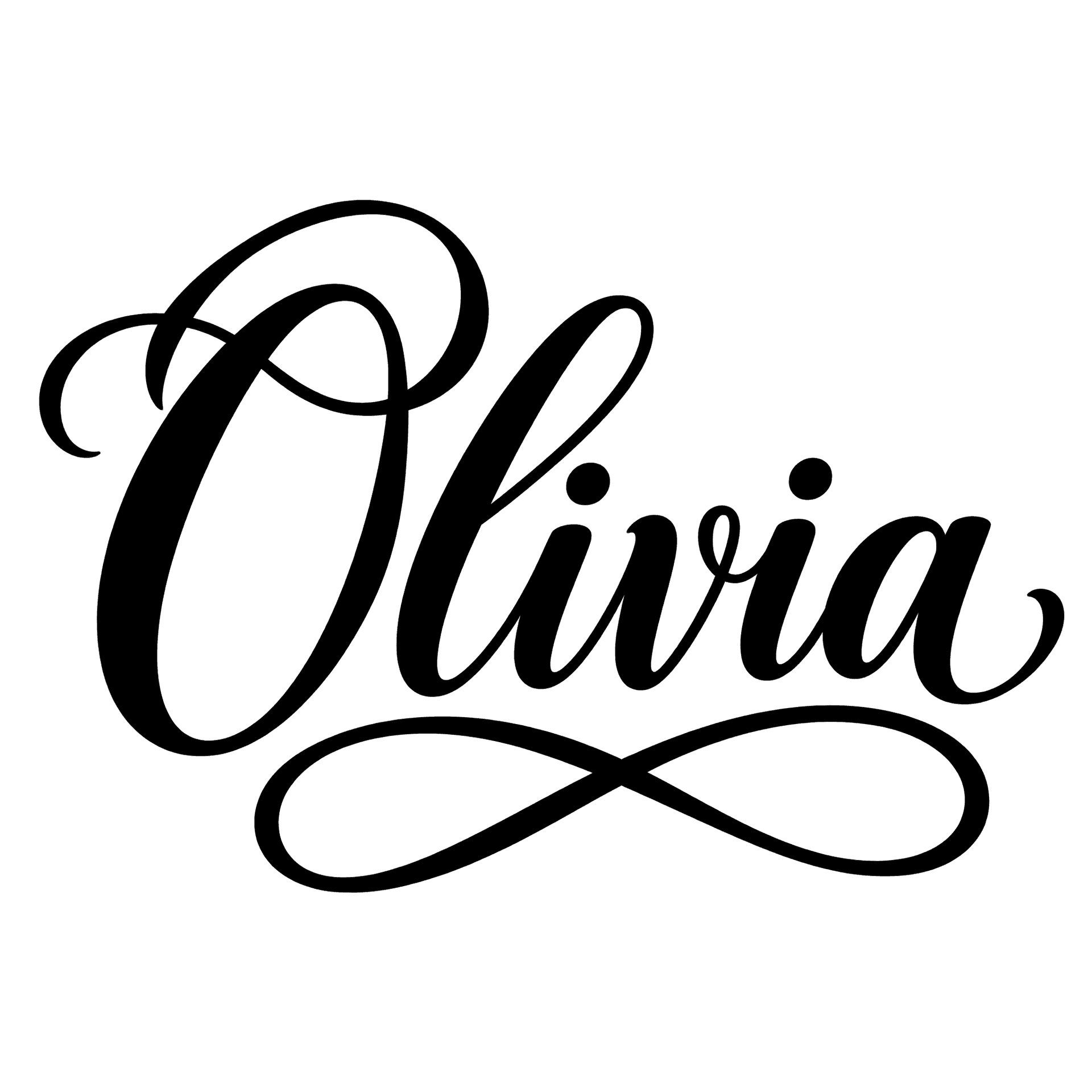 Example · Flourish script Transparent PNG
Checkerboard = transparent. Commercial use included · no watermark
Examples made with the Monogram Maker
Real designs generated with this tool, shown on a transparent background. Press “Use this setup” to load the same text, style and colour into the tool above.


How it looks on products
These are mockups: the product photos are rendered with AI, and the lettering placed on them is the unedited design file shown in the corner — exactly what you download. They show how a design reads at real size, not a finished item we made.
 Mockup
 Mockup
What is a monogram maker?
The ArtFont Monogram Maker is a free AI monogram generator that turns a name or initials into a custom monogram — circle, split-letter, floral, interlocking or script — and downloads it as a transparent PNG and a cut-ready SVG.
A monogram maker arranges a name or a set of initials into one decorative mark. This one draws the monogram with AI instead of assembling it from a monogram font, so the swashes, frames and overlaps are shaped around your particular letters — and the result is a vector you can cut, engrave or embroider.
What problem does it solve?
Monogram fonts give everyone the same letters, and turning them into a cuttable monogram still means typing three letters in the right order, resizing the middle one, welding the overlaps and fixing the holes. The Monogram Maker returns the finished monogram as one closed shape: nothing to weld, and the counters of letters like O and A stay as real holes.
Who is it for?
- Cricut and Silhouette crafters — monograms for tumblers, towels, totes and door signs
- Couples and wedding planners — interlocking initials for invitations, napkins and signage
- Laser engravers — circle monograms for coasters, cutting boards and leather
- Etsy sellers — a custom monogram file for each personalised order
When not to use it
- Identical monograms across hundreds of orders. The AI draws each monogram fresh, so two runs are never pixel-identical — if every order must match a fixed style exactly, buy a monogram font and type it.
- Embroidery machine files. You get PNG and SVG; convert the SVG to your machine's format (PES, DST) in digitizing software.
How to use the Monogram Maker
- Step 1
Type the name or initials
Script and split styles take a full name; circle and crest styles work best with two or three initials.
- Step 2
Choose a monogram style
Pick flourish script, circle frame, split letter, floral initial or interlocking serif, and a colour.
- Step 3
Generate the monogram
Keep "Transparent background" on and press Generate; the monogram appears in about a minute.
- Step 4
Download PNG or SVG
Use the PNG for printing and sublimation, or the SVG to cut or engrave.
Monogram Maker vs the alternatives
Cricut Design Space Monogram Maker
Good at: being built into Design Space, so the monogram is already in your project.
The difference: it is limited to Design Space and its own options; ArtFont gives you a portable SVG and PNG that also work in Silhouette, LightBurn and print shops.
Monogram fonts (Etsy, Creative Fabrica)
Good at: unlimited monograms from one cheap purchase, all in the same consistent style.
The difference: you type and weld each monogram yourself, and every buyer of the font gets the same letters.
Canva
Good at: monogram templates you can place into invitations and social posts.
The difference: the letters are an installable font, and SVG download is a paid feature.
For hundreds of orders in one fixed style, a monogram font is cheaper. For a monogram that looks drawn for this name — delivered as a cut-ready SVG in a minute — use the Monogram Maker.
More lettering tools
Frequently asked questions
How do I make a monogram?
Type the name or initials, pick a monogram style, and press Generate — in about a minute you get the monogram as a transparent PNG and an SVG. Use full names for script and split-letter styles and two or three initials for circle and crest styles. If a letter ever looks off, generate again for a new variation.
What order do monogram initials go in?
In a traditional three-letter personal monogram the surname initial sits in the middle and is set larger: first, last, middle — so Anna Marie Roberts becomes aRm. For couples, the shared surname initial usually goes in the middle with the two first initials either side. The Monogram Maker draws the letters in the order you type them.
Is this monogram maker free?
Your first monogram is free: every new account gets 30 credits and a standard monogram costs 13, with PNG and SVG downloads included. 1K drafts cost 4 credits if you want to try several styles first. After that, packs start at $9.99 for 900 credits.
How do I make a monogram on Cricut with this?
Download the SVG, then in Cricut Design Space choose Upload → Upload Image and select the file. It imports as one cut layer — no welding needed — and you can resize it to your tumbler or decal. Cut it from adhesive vinyl or iron-on like any other design.
What do I get in the SVG download?
A traced vector of the lettering in one flat colour, made of closed paths. It imports into Cricut Design Space, Silhouette Studio, LightBurn and Illustrator and scales to any size without blurring. It does not keep gradients, glows or pattern fills — styles marked "PNG" in the picker are print designs, so use their PNG instead.
Can I sell products made with these designs?
Yes. Designs you generate are yours to use commercially — on shirts, mugs, signs, decals, cake toppers and client work — with no watermark and no attribution required. The one thing to check yourself is the words: a design does not give you rights to someone else's trademark or team name.