YouTube Thumbnail Text Generator
The ArtFont YouTube Thumbnail Text Generator makes bold, outlined thumbnail titles that stay readable on a phone and downloads them as transparent PNGs for Photoshop, Canva or CapCut. Switch to Full thumbnail and the AI makes the whole 16:9 thumbnail from your title.
- Transparent PNG
- Real SVG vector
- Print & cut ready
- Commercial use
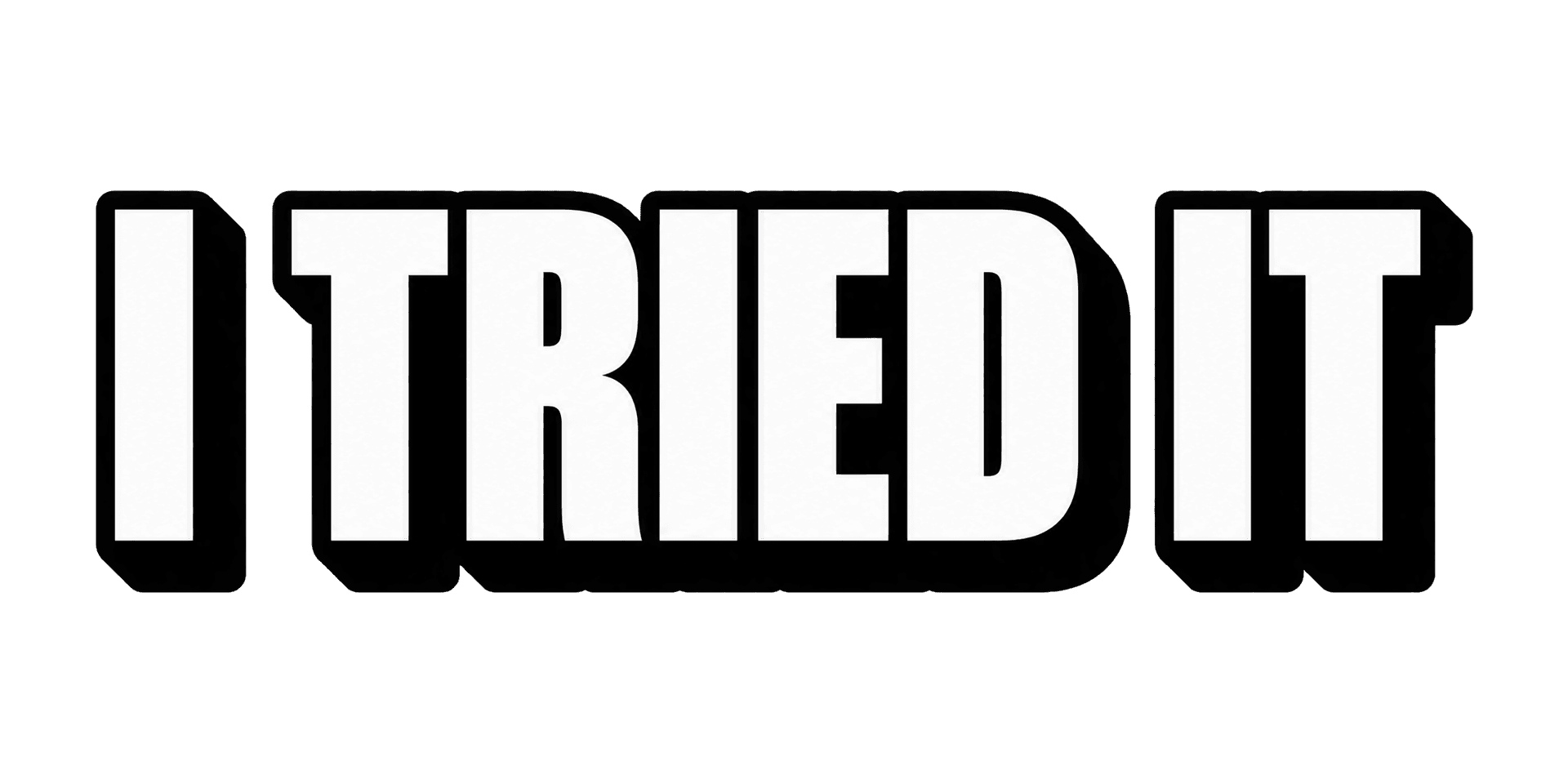 Example · Bold outline Transparent PNG
Checkerboard = transparent. Commercial use included · no watermark
Examples made with the YouTube Thumbnail Text Generator
Real designs generated with this tool, shown on a transparent background. Press “Use this setup” to load the same text, style and colour into the tool above.


Full thumbnails made by the AI
One per look, each from a title and a one-line topic — no photo uploaded. Switch the tool to Full thumbnail to make your own.


What is a youtube thumbnail text generator?
The ArtFont YouTube Thumbnail Text Generator makes bold, outlined thumbnail titles that stay readable on a phone and downloads them as transparent PNGs for Photoshop, Canva or CapCut. Switch to Full thumbnail and the AI makes the whole 16:9 thumbnail from your title.
A YouTube thumbnail text generator creates the big title text that sits on a thumbnail — heavy letters, thick outlines and shadows that stay readable when the thumbnail is shown at a few centimetres wide on a phone. Here it comes two ways: the title on its own as a transparent PNG to place over your own photo, or a complete thumbnail made by the AI.
What problem does it solve?
Most thumbnail text is made by stacking a font, an outline, a stroke and a shadow in an editor for every video — and on a phone, thin or busy text turns to mush. This tool produces title text already built for small sizes, with no background to cut out; when you have no photo to work with, the full thumbnail mode makes the whole image.
Who is it for?
- YouTubers — thumbnail titles for every upload, in a consistent style
- Video editors and agencies — title PNGs to drop into Photoshop, Premiere or CapCut
- Podcasters and streamers — episode and stream cover titles
- New channels — a full thumbnail when there is no photo or design time
When not to use it
- Pixel-exact layouts. In full-thumbnail mode the AI composes the picture; for exact placement, generate the title text and lay it out yourself.
- Other people's faces or channels. Use your own photo, or one you have permission to use, and do not copy another creator's thumbnail.
- Long titles. Thumbnails work with 2–5 words; put the full title in the YouTube title field.
How to use the YouTube Thumbnail Text Generator
- Step 1
Type the title
Two to five words — the hook, not the whole video title.
- Step 2
Pick a text style or a look
Thumbnail text: bold outline, yellow pop, gaming neon, 3D or red box. Full thumbnail: pick a look and, optionally, add your photo.
- Step 3
Generate
Press Generate; the text or the thumbnail is ready in about a minute.
- Step 4
Download and upload
Place the transparent title PNG on your own image, or download the 16:9 thumbnail and upload it to YouTube.
YouTube Thumbnail Text Generator vs the alternatives
Canva and Adobe Express
Good at: thumbnail templates you edit by hand.
The difference: you build the text effect from fonts each time; here the title comes out finished and transparent.
Photoshop
Good at: full control over every layer.
The difference: outlines and shadows take time per video; here they are part of the generated text.
ChatGPT image generation
Good at: any picture you can describe.
The difference: text in the image is often misspelled and the title cannot be reused on your own photo; here the title also comes as a separate transparent PNG.
If you already have a strong photo and a template, the text generator gives you just the title to drop in. If you have nothing but an idea, the full thumbnail mode makes the whole image — and if you need exact control over the layout, use an editor.
More lettering tools
Frequently asked questions
What size is a YouTube thumbnail?
YouTube recommends 1280 × 720 pixels (16:9). The full-thumbnail mode renders 16:9 at 2560 × 1440 at 2K, which scales down cleanly. Thumbnail text comes as a wide transparent PNG you can scale and place anywhere.
Can I put myself in the thumbnail?
Yes. In Full thumbnail, add a photo of yourself and the AI uses it for the person in the image. Use only your own photo or one you have permission to use. Faces can come out slightly different from the photo, so check before you publish.
Is the title spelled correctly?
The title text styles spell the text exactly as typed in nearly every render, and you see the result before you download. In full thumbnails the title is drawn into a whole scene, so check the spelling before you upload.
Does it work with Canva, CapCut or Photoshop?
Yes. The thumbnail text is a transparent PNG, so it drops onto your image in any editor with no background to remove.
How much does it cost?
A standard design (2K, standard quality) costs 13 credits, and new accounts get 30 free credits — enough for your first 2 designs. Quick 1K drafts cost 4 credits; 4K at best quality costs 40. PNG and SVG downloads of your own designs are included. Credit packs start at $9.99 for 900 credits, about 69 standard designs.